-
Home

-
Crypt-o
-
Documentation
- Importing data
 |
Importing data |


|
Crypt-o can import data from XML files, text files with delimiters and from .csv files (these ones can be created with Excel). Also Crypt-o can import Free Password Manager databases and Password Manager XP databases including all advanced features such as images, file attachments, user accounts, object permissions.
To start the Import Wizard choose Database > Import from the menu. On the first page of the Wizard, choose a data source to import data from.
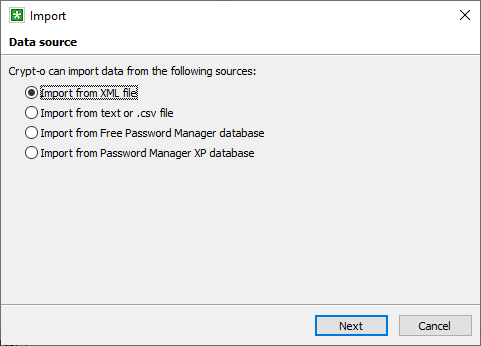
The import sources page
Importing from a text or .csv file
To perform the import, specify a text or .csv file to import data from. Then choose a proper Fields delimiter for that file, the line, from where data is to be imported, and the fields to store data into. Use the data preview to adjust the import parameters.
When the Field names in the first line option is selected Crypt-o will use data from the first line of the source file as field titles.
The data will be imported to the currently selected folder in the main window, unless you select the  Create new database option. In that case a new database will be created and the data will be imported into that database.
When you are finished with the settings, click Done to start the import.
 NOTE: It is possible to import data from a text file with predefined field names and the folder structure. To find out how the text file need to be formatted, just export to a text file some test database which contains several records and sub-folders with different fields structure. Don't forget to specify to export folder and field names in the export options.
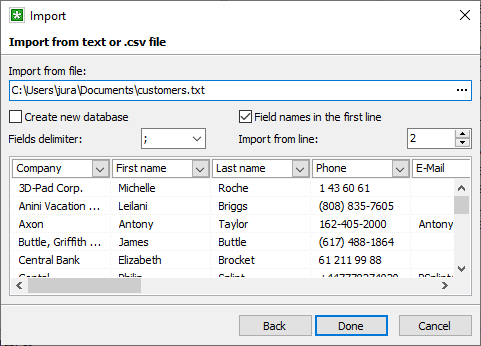
Text file import options
Crypt-o can import data from a specially formatted XML file or a ZIP archive containing a XML file. You can import complete database from a XML file - records, folders, permissions, images, file attachments, form filling information.
NOTE: To find out how the XML file need to be formatted, just export to a XML file some test database which contains several records and sub-folders with different fields structure.
To perform the import, specify a XML or ZIP file to import data from.
By default the Create new database option is selected and the data will be imported in a new database. Deselect this option to import data to the current folder.
Press Next to continue.
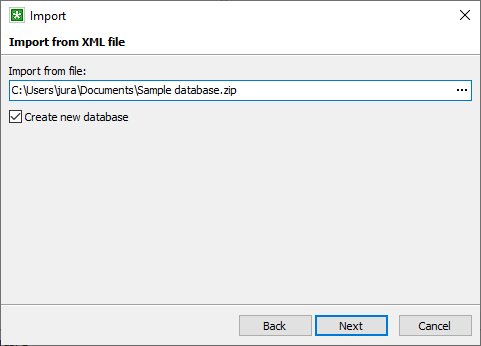
XML file import options
Specify needed options on the import options page and press Done to start the import.
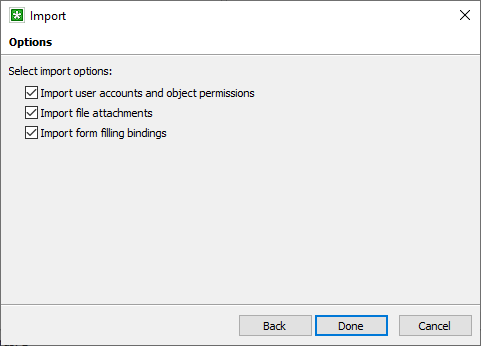
Import options
Importing a Free Password Manager or Password Manager XP database
NOTE: Only users with the Create databases privilege can import Free Password Manager or Password Manager XP databases.
Select a Free Password Manager or Password Manager XP database to import data from and click Next.
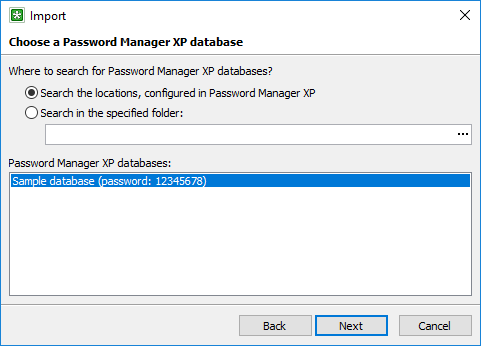
Import Password Manager XP database
On the next page specify a password to open the selected database and press Next. If the database has user accounts defined, you will be asked to enter a password for a built-in user with Administrator privileges.
Import options
Specify needed options on the import options page and press Done to start the import.