-
Home

-
Crypt-o
-
Documentation
- Creating a new database
 |
Creating a new database |


|
To create a new database choose Database > Create database... from the menu. The database properties window will appear. Enter a name for the new database and its description. Press OK to create the database.
 Private database - if this option is selected, the database will be private. Only the database owner will have full control over the database.
 NOTE: Even a system administrator is not able to access a private database without corresponding permission from the database owner. If a private database is abandoned (e.g. a user account of the database owner has been deleted), a system administrator can take ownership of this database by editing permissions in the User management.
NOTE: Your user account must have a permission to create new databases.
Your user account will be set as the owner of the newly created database. A database owner is allowed to perform any operation in the database.
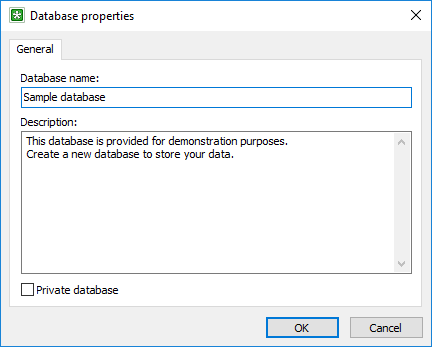
The Database properties window